
Traffic Cases in Colorado Courts
Not every traffic ticket ends up in the same courtroom. A state ticket or infraction can become a County Court case in the county listed on the notice. A city-ordinance citation belongs to that city's municipal court. Denver County Court runs its own traffic and municipal matters through a separate system. Federal, park, or military citations follow the agency or federal court printed on the notice. They do not follow the state case-search route.
The record stays with the local court or issuing agency. A state register may show a case once it is filed. Yet a ticket can start in a different payment system or remain on a municipal docket. That is why the ticket itself matters. Its court, agency, case number, response date, and instructions point you to the right Colorado traffic records route. A conviction may later reach the state motor-vehicle record. But that file never replaces the court's traffic docket.
Note: The name and instructions on the citation determine which office can confirm its status and produce the controlling record.
Start With the Agency on a Colorado Ticket
Read the heading and instructions on the notice before touching any search form. A DOR penalty assessment routes to the Department of Revenue's ticket process. A summons naming County Court belongs with that court and its Clerk of Court. A local ordinance ticket names its municipal court. A photo-enforcement notice identifies the local body that issued it. Each record starts with a different holder. So a failed search in one system says nothing about whether the ticket exists.
Colorado Judicial Online Payments can find payable balances in participating state court locations. It is not a statewide database of every citation. The state Department of Revenue notes that myDMV leaves out several categories. Those include municipal, Denver County Court, photo-enforcement, and toll matters. Those limits make the issuing agency the safest starting point. Federal, park, or military citations follow the agency or court on the notice. They sit outside the state ticket-search route.
The Colorado Judicial Branch spells out the covered and excluded citation routes in its myDMV help information. That page helps when a ticket fails to appear in a payment search. A missing result can mean the wrong system rather than a closed case.
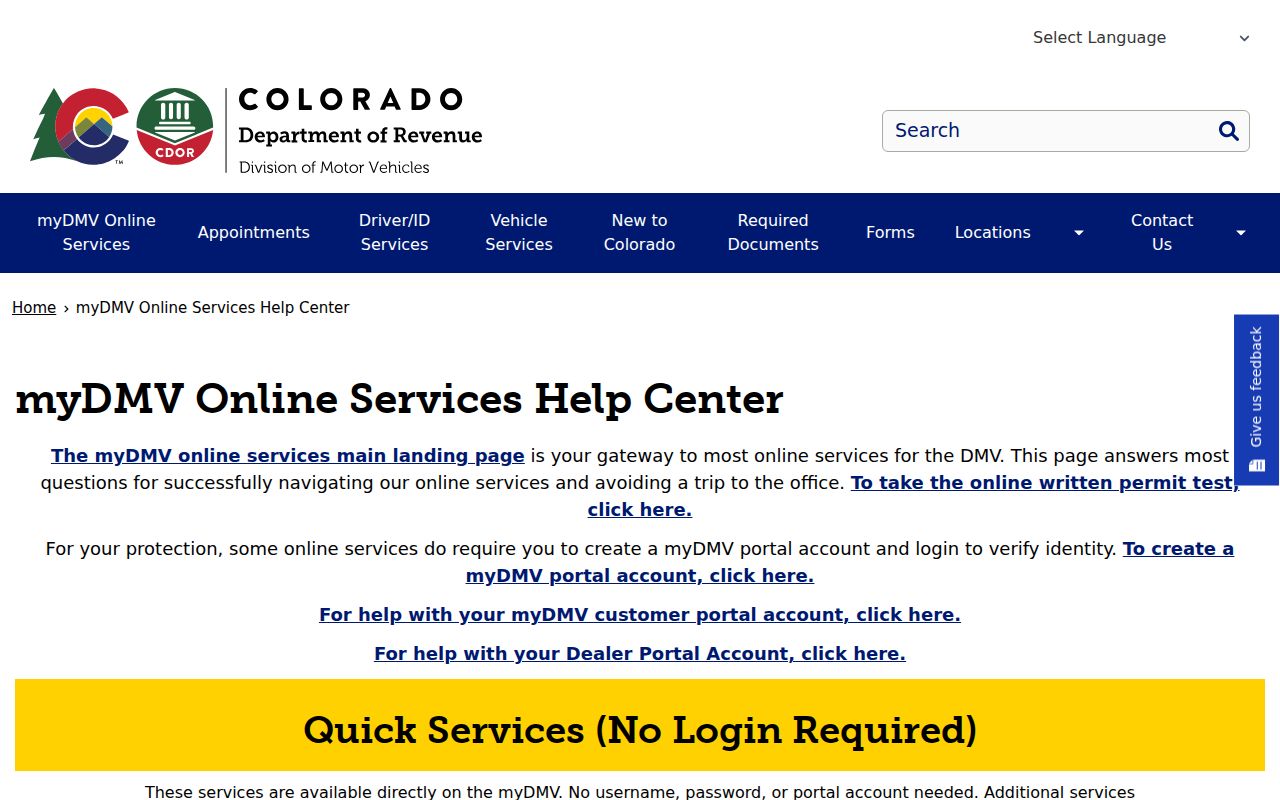
Treat the exclusion list as a routing aid. Follow the ticket itself to its court or issuer instead of reading an identity-gated DMV service as a public citation index.
How Colorado Tracks Citations Statewide
Colorado offers statewide tools for selected payment, calendar, and driver-record tasks, but no single public lookup covers every citation or license hold. The differences matter. Some tools show a balance, others show a future court setting, and some demand the record holder's identity checks. None of them works as a full public traffic-history search.
| System | What It Holds | Run By |
|---|---|---|
| Colorado Judicial Online Payments (CJOP) | Payable court fines, fees, restitution, and tickets in participating state-court locations; not every citation or a full docket | Colorado Judicial Branch |
| Failure-to-appear or license status | No public statewide license-hold lookup form was found; a reported missed required date may affect license privileges | The court reports case events; the Division of Motor Vehicles handles driver-license status |
| Colorado DMV driver record | Driver-license status, reported convictions, and privilege or suspension information; identity-protected request | Colorado Department of Revenue, Division of Motor Vehicles |
| DOR Tickets and Penalty Assessments | Penalty assessments payable through the Department's process, with identity verification in myDMV | Colorado Department of Revenue |
The Judicial Branch Docket Search is another statewide tool, but it lists upcoming settings rather than ticket history. It can help you locate a hearing in a state trial court. For anything deeper, the county Clerk of Court keeps the local case file and can confirm whether the citation was filed, what the docket says, and which payment route applies.
CJOP Finds Payable Colorado Court Cases
CJOP works as a payment finder for participating state-court locations. Its first screen asks for a court location and a search method: case number, ticket number, or name. Choose “All” for a statewide payment search. From there the service requests search criteria. It may let you select a case and move to payment. The path is built to locate an amount owed. It is not built to display a complete traffic case file or a citation's full history.
The landing page does not expose every later input or result field. So do not assume each search method accepts the same name format, or that a match equals the full docket. A payment made after 4 p.m. is applied the next business day. Check the court and the case before paying. A search alone will not tell you whether payment replaces an appearance or plea the ticket requires.
The Colorado Judicial Online Payments page shows the statewide search controls. County and satellite locations fill its court list. But Denver County Court does not appear as a state-court location.
| Court Location | Required dropdown, defaulting to Adams County; “All” supports a statewide payment search, but the list does not cover every court system. |
|---|---|
| Search By | Required radio choice: Case Number, Ticket Number, or Name; Case Number is selected first. |
| Search criteria | A conditional text field appears after the first-screen action; the live next-stage control was not inspected. |
| Enter Search Criteria | First-screen button that opens the criteria stage. |
| Run Case Search | Described by county payment instructions for the later step, but not shown on the landing screen. |
| Payment selection | A later stage that was not inspected; a match may proceed to payment, not a docket or document view. |
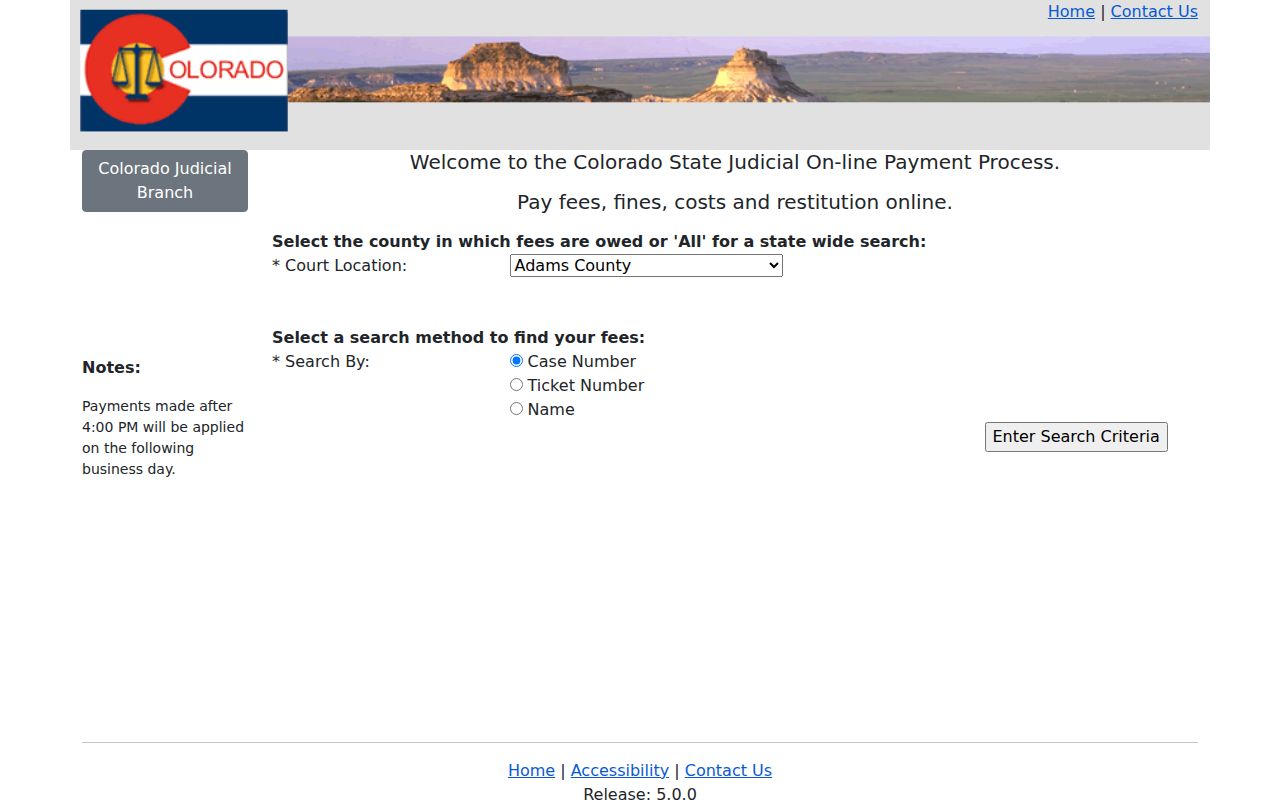
Treat the CJOP form as a starting point. It can show a court balance. But it does not prove a citation is payable online or that a court date can be skipped. Ticket not coming up? Check the notice number against the portal's selected court location. If the route still seems unclear, call the court printed on the citation. Remember that CJOP searches only participating payment locations across Colorado. It does not reach every citation issuer or every court record.
Colorado Traffic Ticket Lookup Steps
Start with the ticket's own identifiers. A case number or citation number pins down one matter, while a name search can return several cases or miss a spelling variation. The right lookup tool also depends on the type of notice: a DOR penalty assessment, a state-court summons, a municipal citation, or a photo notice.
- Identify the issuer. Read the court, agency, and response instructions on the notice. Separate a County Court summons from a city ticket or DOR penalty assessment.
- Choose the matching statewide route. Use CJOP only for a participating state-court balance, DOR's payment instructions for a DOR-payable assessment, or the Judicial Branch Docket Search for an upcoming state-court setting.
- Open the local court route. For a state case, use Browse Counties to reach the right Colorado Clerk of Court. For an ordinance matter, follow the municipal court named on the ticket; Denver County Court uses its own portal.
- Compare the result with the notice. Confirm the case or citation number, court, date, amount, and response terms. If the search is blank or unclear, ask the issuing court or agency.
In a state-court setting, the Branch calendar lets you narrow results by its visible court fields. A date range alone is not a full search. Add a location, case, party, or attorney filter before you stop looking.
| Date Range | Select a time span or a specific date; at least one additional filter is required. |
|---|---|
| Case Number | Enter the four-digit year, case class, and sequence separately; the sequence accepts one to six numerals. |
| Case Class | Traffic appears as T; traffic infractions also use R in the current menu. |
| County or Courthouse | Choose the location shown on the ticket. Denver County Court is not listed with the separate state-court Denver locations. |
| Result Row | May show date, time, event type, location, courtroom, and appearance mode when populated. |
The calendar is a starting point for a future setting, not a stand-in for the summons or a later court order. A virtual label does not include the meeting link. Get that from the county court's virtual courtroom instructions. For event history or an official copy, ask the Clerk of Court that holds the file.
DOR Penalty Assessments Follow a Separate Path
A DOR-payable penalty assessment starts with the Department of Revenue, not a court-filed summons. Its online process runs through myDMV login and identity verification. The workflow asks for personal identifiers, then presents the citation for payment. That makes it an authenticated personal transaction rather than a public name-search page. Do not enter identity numbers into a general docket search. And do not assume a DOR notice is already visible in a court case system.
DOR states that payment is an admission of guilt for the assessed violation. Pay on time, generally within 20 days, and eligible drivers may receive the applicable point reduction. Once the matter is more than 40 days old, DOR says it is referred to court. Those timing rules belong to the penalty-assessment path alone. A summons or municipal notice may set different steps. The date and options printed on the citation control.
The Department's penalty-assessment instructions show where a notice begins. If it has moved to court or a court date is listed, follow that court's directions. Rely on its clerk for the case record.
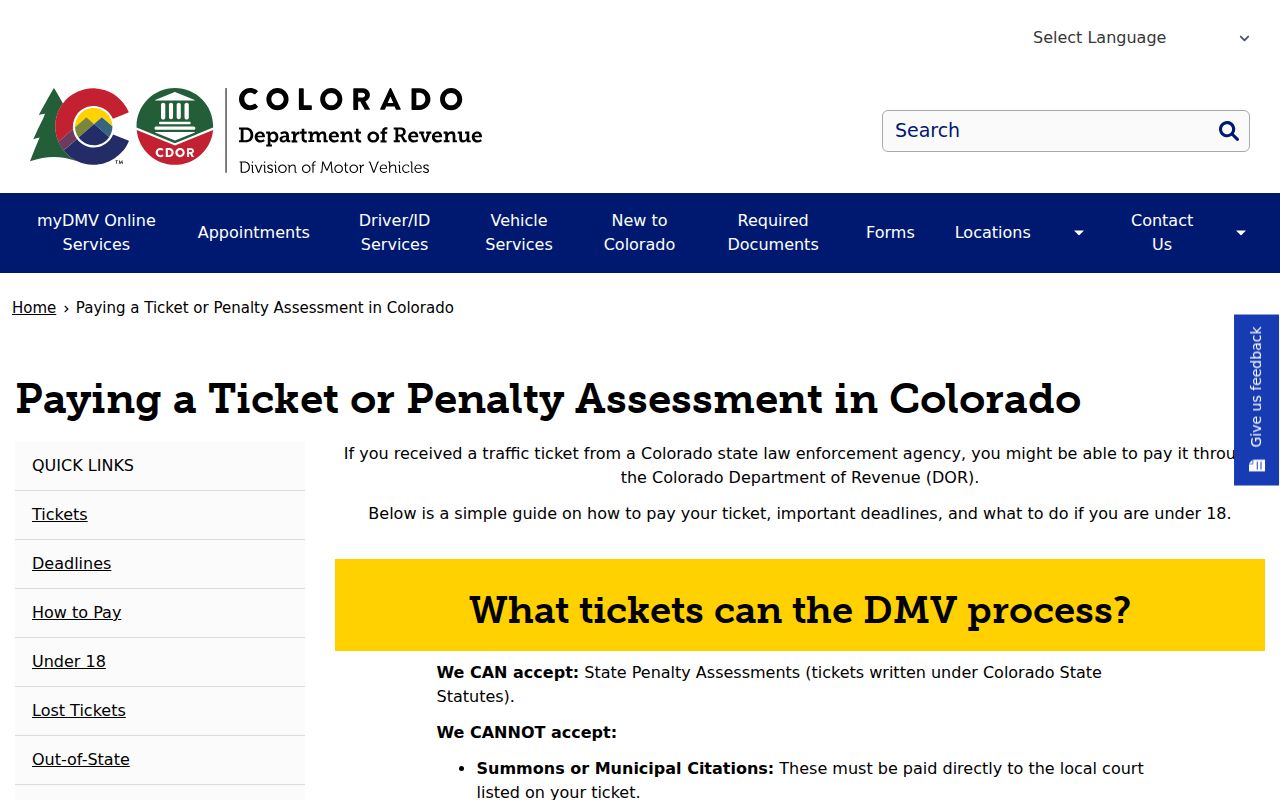
The DOR route and a state-court case route can be stages of one citation. Yet they are not the same record. A payment receipt or referral notice helps show where the next step belongs. When a ticket orders an appearance, an online balance does not turn that summons into a payment-only case; follow the court date and response terms on the notice. DOR's timing governs its penalty-assessment route, not every Colorado traffic ticket.
Colorado Ticket Payment and Contest Options
Colorado's options turn on the kind of notice you hold. Paying an eligible DOR penalty assessment admits the assessed violation. A case already on a court docket may carry its own balance and a required appearance. To contest a state traffic infraction, follow the plea and hearing directions for the County Court that received it. A city ordinance ticket follows the local municipal court process. No single statewide response window covers all of these routes.
| Pay or resolve | Contest or appear |
|---|---|
| A DOR penalty-assessment payment is an admission of guilt; a court balance records payment through the court's process. | Follow the plea, response, and hearing steps in the summons or notice from the named court. |
| Use the date and method on the assessment or court notice. DOR's general 20-day and 40-day guidance applies only to its penalty-assessment path. | Appear or submit the required response by the deadline printed by that court; do not rely on a payment search to change the date. |
| Use DOR/myDMV for DOR-payable assessments or CJOP only when a participating state-court balance appears. | Use the state County Court or named municipal court; the Clerk can give record and setting information but not legal advice. |
If a required date was missed: A missed appearance may affect license privileges if the court reports it to DMV, though not every missed ticket creates a statewide hold. Contact the issuing court about the case, and contact DMV separately about personal license status.
For a state traffic infraction, C.R.S. §42-4-1708.5 puts the hearing before a County Court judge or magistrate. The same statute describes the prosecution's burden. A final judgment can generally be appealed to the District Court for that county. Municipal violations follow local ordinance procedures instead. The ticket or court clerk can identify the court route. Legal advice about a plea must come from a qualified attorney.
Deferred Colorado Traffic Outcomes Are Discretionary
Colorado prosecutors have room to negotiate. But no driver is owed a deal. Under C.R.S. §42-4-1708, a district attorney or deputy may try for a negotiated plea or stipulation. It can cover deferred prosecution, deferred judgment, or sentence. The word is "may." C.R.S. §18-1.3-102 sets the general deferred-judgment law. Local court or prosecutor policies shape what is actually offered.
Nothing here is automatic. A deferred result lives or dies by its agreement and the court's order. So treat it as neither an instant dismissal nor a guaranteed driving-school outcome. Colorado has no uniform statewide defensive-driving dismissal program and no single eligibility checklist. DOR's point-reduction explanation covers timely handling of an eligible penalty assessment. It never promises that a court case ends in dismissal.
So ask the court or the prosecutor named on the citation. Get the options in plain terms and learn what entry will land on the docket. Read the docket only after the order or agreement is entered. A bare label can hide the conditions and the end date. A Clerk hands over the public record and the filed order but cannot pick a plea for you.
Note: A deferred disposition is governed by its agreement and order. Check the actual case file for its terms and outcome.
Colorado Photo-Enforcement Rules Changed in 2026
A photo speed or red-light notice follows Colorado's automated vehicle identification system rules. It also follows whatever process the issuing authority names. These usually start as local civil notices rather than state traffic cases. A case may surface only if you respond or the matter gets referred. The Department of Revenue says plainly that it does not handle photo-radar tickets. The municipality or authority printed on the notice is your first call.
SB26-152 was signed June 2, 2026 and took effect August 12, 2026. It rewrote public-notice requirements. It made registered owners responsible for civil penalties, with a process for sold, leased, or stolen vehicles. The law also revised some speed-penalty rules and banned citation-volume incentives in vendor compensation. It set increased penalties beginning January 1, 2035. An older legislative overview carries a 2022 count of participating local governments. Treat that figure as history, not today's statewide total.
For the law itself, read the enacted SB26-152 text. Pair it with the General Assembly's automated vehicle identification overview. The current local notice still decides the recipient, the deadline, and the response route.
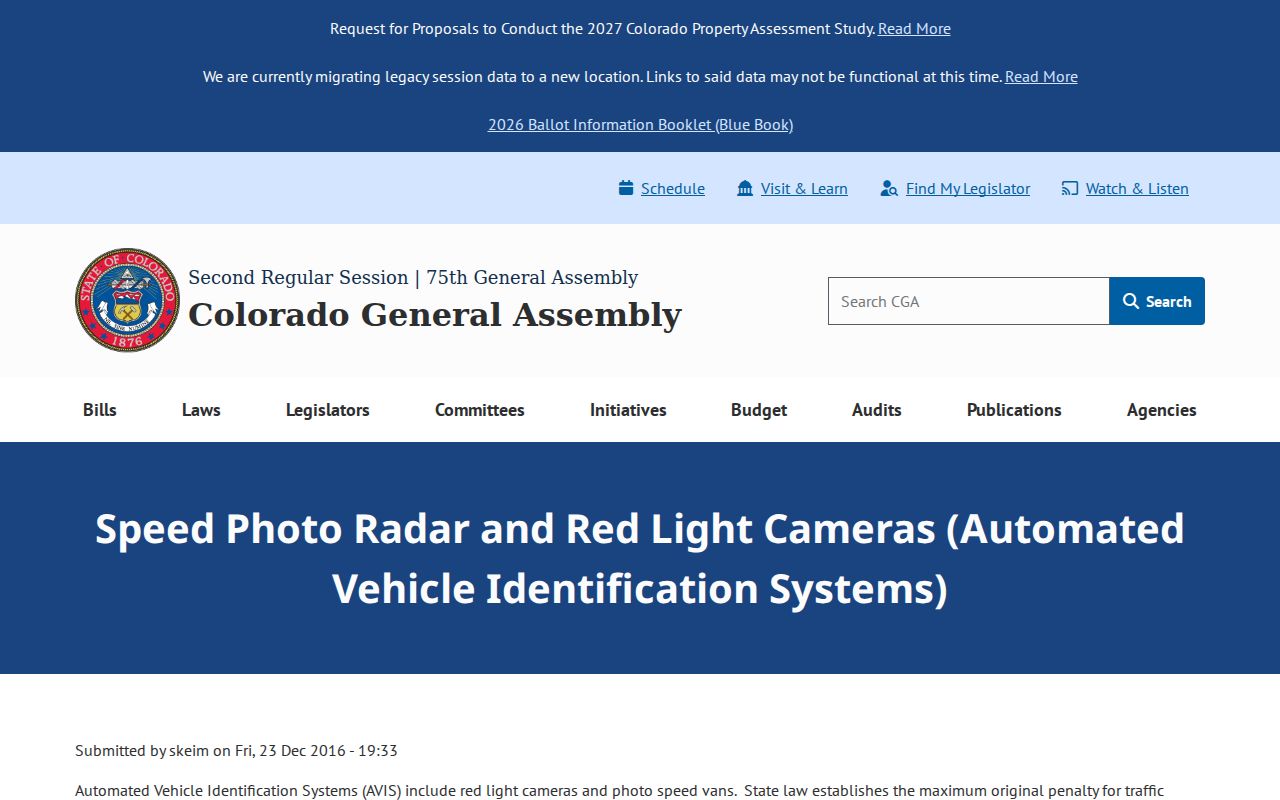
City photo notices come from local issuers, so a county court directory is only part of the route. Start with the municipality or authority named on the notice. Then check its assigned court if a case is filed.
Two Records for One Colorado Ticket
One Colorado traffic ticket leaves a paper trail in two places. Each answers a different question. The court docket holds the citation, the plea, the hearing, and the judge's order. Driver history is something else entirely. The Colorado Department of Revenue's Division of Motor Vehicles tracks license status and convictions reported to it. Courts must send certain motor-vehicle convictions to the DMV under C.R.S. §42-2-124, usually within ten days after sentencing. That duty does not make the DMV the keeper of the court docket. A case lookup still starts with the court or issuing agency that holds the file.
| Traffic case file | Driver-license record | |
|---|---|---|
| Kept by | County Clerk of Court, municipal court, or issuing authority | Colorado Department of Revenue, Division of Motor Vehicles |
| May show | Citation, appearance, plea or finding, order, payment, and disposition | License status, reported convictions, and privilege or suspension information |
| Route | Ask the court or issuer; use Browse Counties for state trial-court contacts | Use the DMV's identity-protected driver-record request process |
The DMV spells out that side of things on its driver-record and suspension page. It covers license records rather than court case files. Requesting a driver history there will not pull your traffic docket, and the court Clerk cannot hand you a full personal driver record either. Keep the two channels straight. The DMV record is identity-protected, so treat it as a personal license document rather than a public search for traffic citations.
After the court rules on a Colorado traffic ticket, the Clerk's docket entry shows the outcome; the DMV answers only questions about a driver's own status.
If a Colorado Traffic Date Was Missed
Missed a court date on a Colorado traffic ticket? Begin with the court or issuing body named on the summons. Ask whether a case was filed. Ask whether a new hearing or order has been entered, and what procedure now applies. The public Colorado Docket Search lists upcoming settings for state trial courts. Its coverage has limits, though. No Denver County Court, no city municipal calendars, and no agency notices. A blank calendar tells you nothing about what happened to the citation. Confirm with the court itself.
When a court reports an event that could touch license privileges, check two things. One is the case status with that court. The other is your personal license status with DMV. Be wary of older blanket claims that every missed ticket triggers a hold. Colorado's current materials tie any consequence to an actual court report. They also tie it to the facts of the case. No public statewide license-hold form exists for people to file.
For a state-court case, use Browse Counties to find the Colorado Clerk of Court. For a municipal or photo citation, follow the local issuer named on the notice.
Did a citation go through DOR before it reached court? Keep both notices. Compare the case number, date, and issuing agency on each one. For a missed state-court setting, read the latest notice or order and contact the court named on the citation rather than trusting an older docket search result.