
How the Colorado Case Search Works
Need a future hearing date? The Judicial Branch's public Docket Search is the right place to begin. It covers District and County Court settings in all 64 counties. Denver District, Juvenile, and Probate get separate entries. Denver County Court is left out, and many municipal courts are too. The calendar is free. No login is required. Because it is built around future events, it is the wrong tool for an old filing or order.
Open the Colorado Judicial Branch Docket Search and narrow things down by location, case detail, or party detail. A date range loads by default. That alone is not a complete search, so add at least one more filter. The buttons read "Find Dockets" and "Clear Results." Results print or export, and they appear 20 per page.
- Select a judicial district, county, courthouse, or court type when known.
- Choose the date window, or select a specific date for a known hearing.
- Enter a case number, party, business, or attorney filter to narrow the calendar.
- Use the displayed event and location details to identify a likely setting.
- Confirm changes, attendance instructions, and any missing case history with the court that holds the record.
The order of the form's fields, and the formats each one accepts, is what separates a true case search from a broad name lookup.
| Search Field | Type and Requirement | What to Enter |
|---|---|---|
| Judicial District | Optional dropdown | 1st through 23rd Judicial District |
| County | Optional dropdown | All 64 county entries, plus separate Denver District, Juvenile, and Probate locations; Denver County Court is not listed |
| Courthouse | Optional dropdown | Named courthouses and satellite court locations |
| Court Type | Optional dropdown | Both, County, or District |
| Division | Optional text | Division label or number, when known |
| Date Range | Date needed; one week is the default | One week by default; six months, three months, one month, today, or a specific date are also available |
| Specify A Date | Conditional date control | Appears after selecting Specific Date |
| Case Number: 4-Digit Year | Optional text | Four numerals |
| Case Class | Optional dropdown | C, CR, CV, CW, DR, JD, JV, M, PR, R, S, or T |
| Case Sequence | Optional text | One to six numerals |
| Party Search Type | Optional radio control | Individual or Business |
| Party First Name | Conditional text | Individual search |
| Party Last Name | Conditional text | Individual search |
| Business Name | Conditional text | Business search |
| Attorney Search Type | Optional radio control | Attorney Name or Attorney Bar Number |
| Attorney Bar Number | Conditional text | One to six numerals |
| Attorney First Name | Conditional text | Attorney Name search |
| Attorney Last Name | Conditional text | Attorney Name search |
The official calendar search is a statewide entry point, not a case's full history of events.
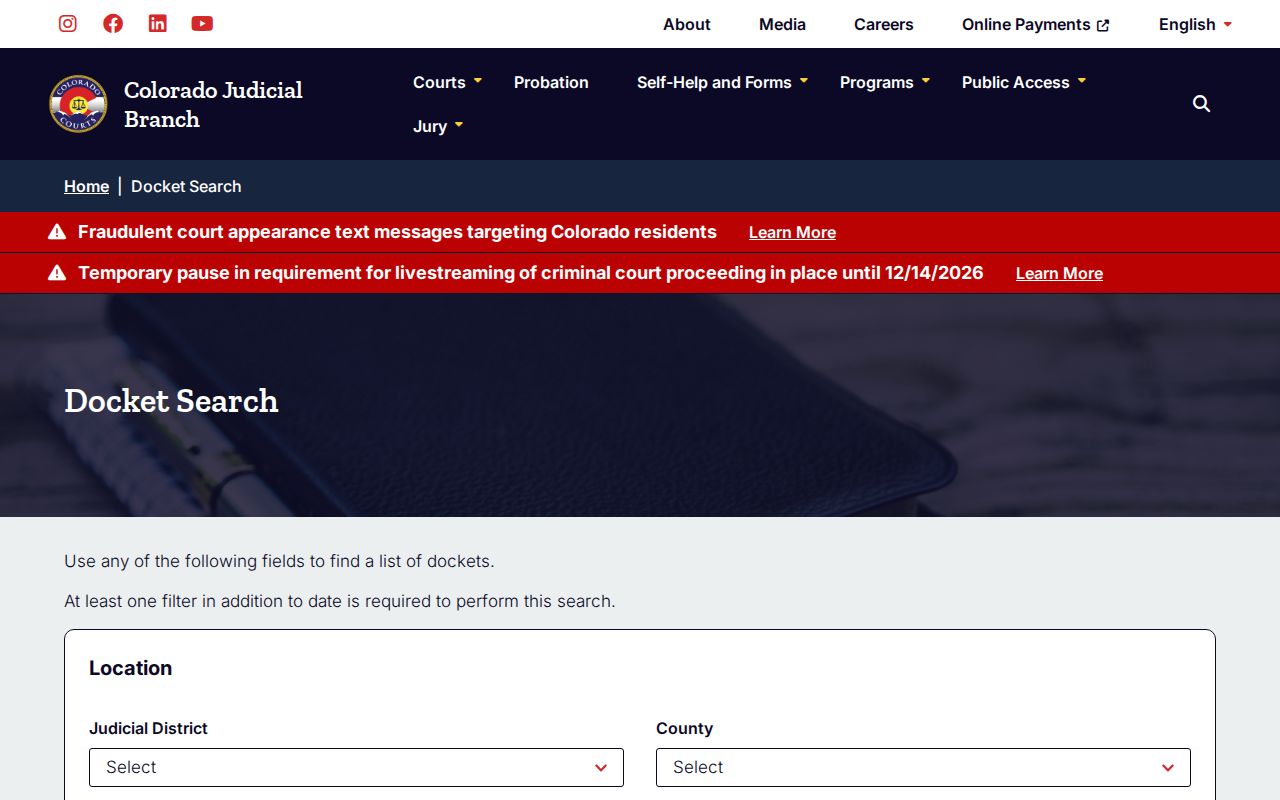
The location and date controls exist because the Branch built a calendar. A case can still have an open court file even with no future setting on display.
Colorado Docket Search Is a Calendar
Colorado's public tools use the word "docket" in two ways. The Branch's Docket Search is a calendar of future state-court settings. A Register of Action, or ROA, is different. That is the chronological summary of everything that happened in a case. The calendar may show a next hearing. It shows nothing about older motions, orders, or the final disposition. A past calendar row is not a case history either.
A listed setting is an appointment, not a ruling. It may display a date and start time. The same row carries the case caption and number, the event type, court location, courtroom, and sometimes an appearance mode or estimated duration. Blank fields do not mean a hearing was canceled. The word "Virtual" does not give you a meeting link. Follow your local virtual-court instructions, and confirm any change with the Clerk of Court.
Check an upcoming Colorado hearing on the calendar first. Then use the county's case records channel for earlier activity. Was a motion granted? Was an order filed? What did a judge decide? A future-setting result simply cannot answer that.
Searching Colorado Cases by Number
The most precise route to a Colorado trial-court setting is the case number. The Branch form splits it into a four-digit year, a case-class code, and a sequence. The sequence runs one to six numerals. Take 2005CV560: a year, the District Court civil class CV, and a sequence. That example comes from an older official help document, not a real person's current case.
Use the number printed on your notice or filing. The current form places the year and class in separate controls. Skip punctuation unless the display asks for it. Some search displays drop a leading zero before the sequence. The digits within the sequence still count. If a result looks off, check the court and county printed on the paper.
Some Colorado matters change court tiers. They pick up a new case number along the way. A felony can start in County Court for an advisement, bond, or preliminary step. It then moves forward in District Court. The District Court file gets its own docket. One search under one number may miss steps.
Inside a Colorado Case Search Result
Open a hearing row in the Colorado Judicial Branch calendar. You see the setting, not the case file. Each row can carry the start time, the caption and case number, the event type, the courthouse, the courtroom, and an appearance type where one is listed. That is all it is. A hearing row tells you nothing about whether a case is open or closed, and it leaves out most filings and rulings. Read a blank the right way too. It means the value is not in that result, not that no event or order exists.
CoCourts builds its ROA product on richer case-history fields: status, court, case type, file and close dates, judge or magistrate, agency, parties, charges, plea, disposition, sentence date, and scheduled events. The vendor warns that coverage varies case by case. The public calendar does not return all of these fields, and none of them replaces the official court record.
The ROA summary is metadata, not documents.
| Scheduled date and time | The next listed event’s date and start time, when set. |
|---|---|
| Caption and number | The displayed case title and court identifier; verify both against the notice. |
| Event type | The hearing or proceeding scheduled, not the case’s final outcome. |
| Location and courtroom | The court location and room assigned to that event. |
| Appearance mode | May say virtual, in person, or no appearance required; it may be blank. |
| Estimated duration | May be shown, but a blank field does not mean the setting was canceled. |
CoCourts: Colorado ROA Search Fees
Need more than the calendar shows? The Colorado Judicial Branch sends people to CoCourts. It is a paid Register of Action search run by a vendor, not a free Branch form. The public FAQ says you can search by last name with a full or partial first name. You may add up to four first-name variants, or search by case number. What the paid query screens look like inside stays behind the registration and payment wall.
The CoCourts statewide ROA entry page shows the vendor service the Colorado Judicial Branch links to.
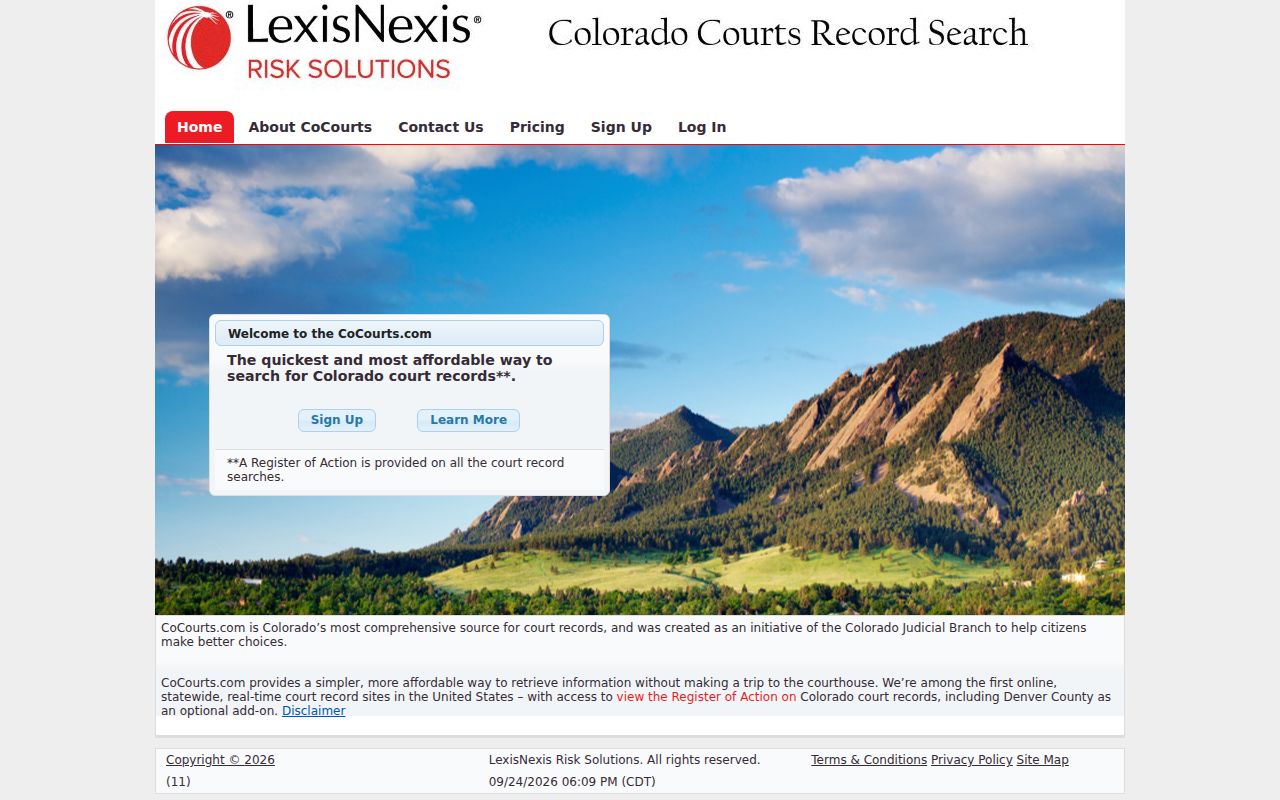
One caution first. This search returns an ROA summary, not the underlying document file held by the Colorado court.
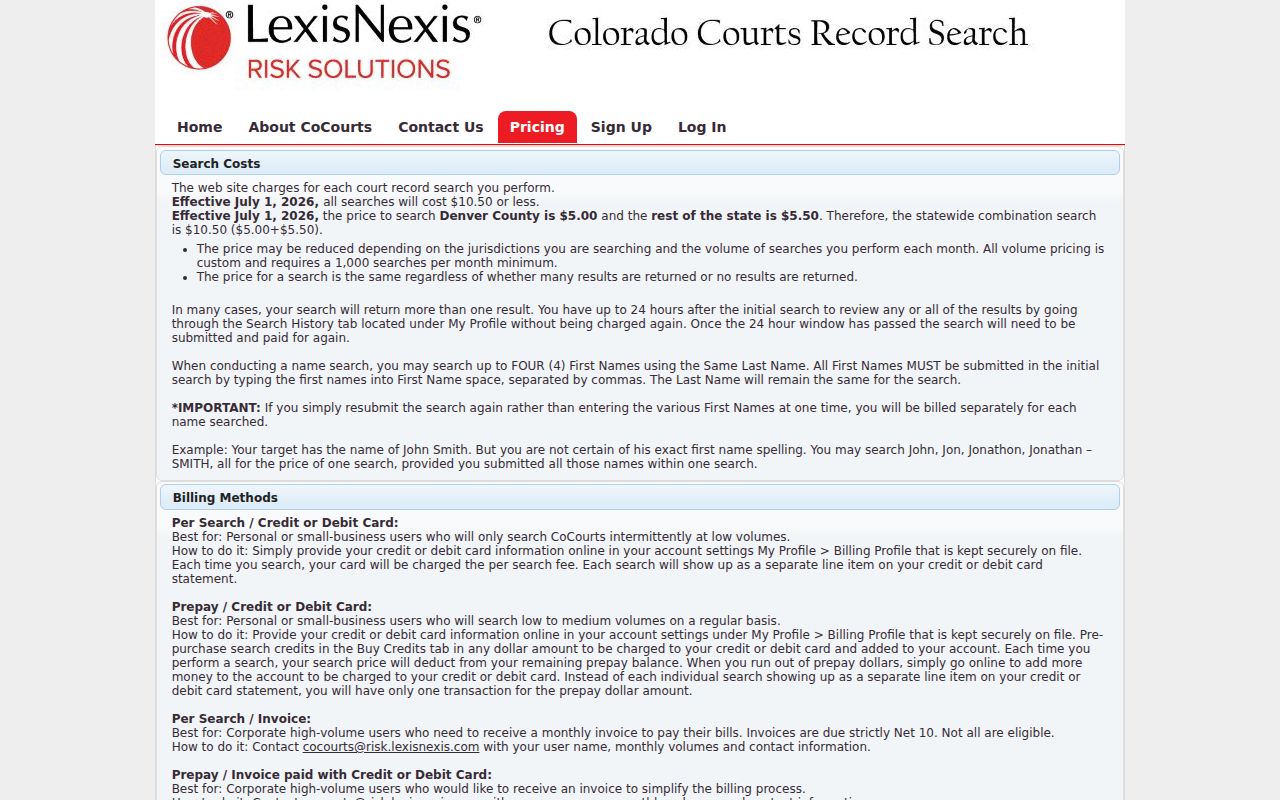
The pricing is posted. A search costs $5.50 for the rest of Colorado and $5.00 for Denver County Court. A search spanning both totals $10.50. Brace for one quirk: a no-result search is still charged. You can reopen a search from Search History for 24 hours without paying again. Later repeat searches cost fresh. Vendor terms can change, so confirm the posted price before you run anything.
The CoCourts price table breaks the ROA query charge apart from court copy fees and e-filing costs.
Remember what you are buying. It is a vendor case-history product, not an authenticated copy of an order or pleading.
Coverage has depth, with limits. CoCourts publishes the earliest index year for each court and location. Denver state-court records in some classes reach back to the 1970s. Other locations start later. Those years describe the vendor's reported index only. They do not promise that every case or entry since that year is present. Satellite locations may repeat county dates.
The public coverage-year table offers a clue for older docket searches. But the court's own retention and file control what can be confirmed.
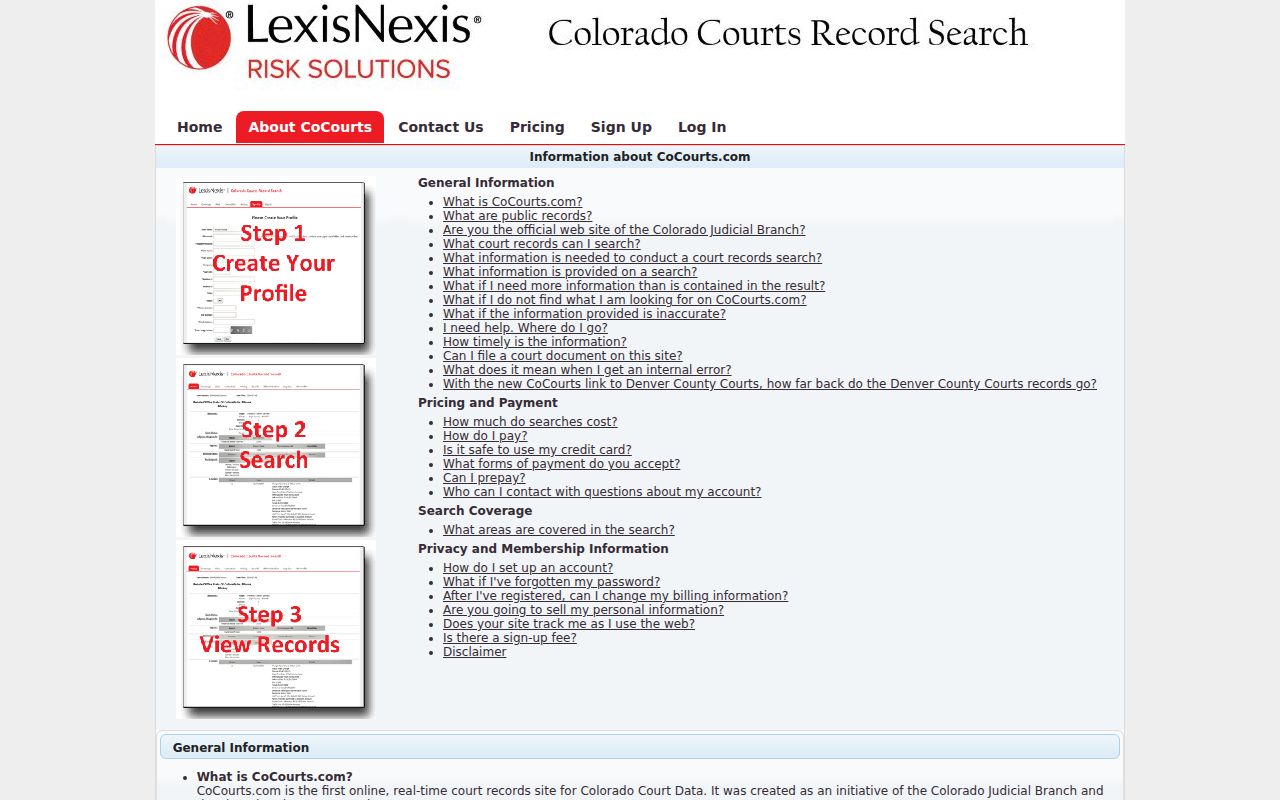
The Judicial Branch flags one more limit. The vendor's register extract can omit records or contain errors, and it does not include the filed document images.
County vs Statewide Search in Colorado
Start statewide for a future setting in Colorado District or County Court, then go local. The calendar tells you when a hearing is set. The local Clerk of Court holds the official trial-court file, produces copies, and fixes case-specific errors. A result that points you to the right case still does not prove the history is complete. The Court Case Records page covers copy requests. Use Browse Counties to reach the county court and clerk for a full docket, filing, or certified document.
Three channels answer different questions. A logged-in filer or eligible party can use Colorado Courts E-Filing (CCE) for authorized case access. That account-based workflow is not the free public calendar. Denver County Court and municipal courts run separate local systems. So a statewide state-court search may not return their matters at all.
| Channel | Best Use | Limit |
|---|---|---|
| Branch Docket Search | Upcoming state District and County Court settings | No historical ROA, full documents, Denver County Court, or unified municipal calendar |
| CoCourts | Paid, selected Colorado case-history summary | Not official; no document images or guaranteed complete coverage |
| County Clerk | Official trial-court file, docket, copies, and correction questions | Must identify the county and court that holds the case |
| CCE | Filing and account-based access for eligible users | Not general free public case-history access |
Colorado Cases Across Separate Courts
Denver County Court is not Denver District Court. Its PublicPortal runs its own case-number and arrest-booking searches. It also offers limited searches for active future dates. A name-and-date query for an individual requires a last name, a first name, and a date of birth. Handy controls, but they do not add up to a statewide history search or a general document viewer.
Use the Denver County Court PublicPortal only when the notice names that separate court. Denver District, Juvenile, and Probate are state-court locations in the Branch form. The Denver County Court does not appear there. Municipal ordinance tickets belong to the city court printed on the citation.
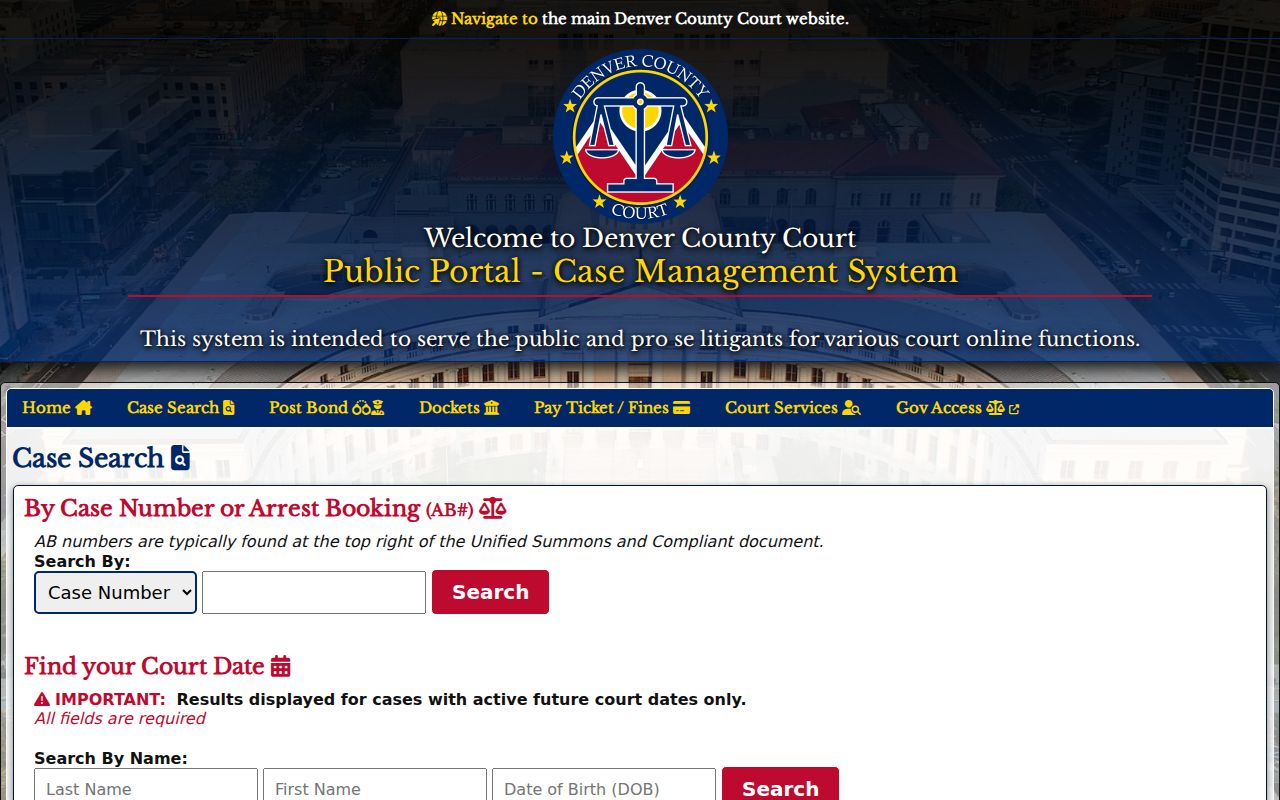
That separate portal blocks a common routing mistake. A Denver County Court matter should never be searched as though it were a Denver District case.
Colorado Case Access Rules
A general remote search will not surface every Colorado case. Sealed cases, juvenile records, probate matters, and other protected categories stay out of reach for ordinary public users of the vendor ROA. The Judicial Branch says so. Remote display also hides some personal details and documents. And a calendar event you can see does not open the underlying filing itself.
Labels carry meanings worth learning. When a docket entry says a record is “sealed,” a statute or court order has closed it. “Suppressed” or “restricted” means public access is withheld or narrowed under the governing rule. A “protected” document may still have a public version once personal information is redacted. A Colorado court file may be missing from an online docket search. Ask the Clerk which access rule applies instead of assuming the file is sealed.
Two authorities control Colorado court-record access: CJD 05-01 and PAIRR Rule 1. A general government-records statute is no substitute for the court’s own case-file process. Juvenile privacy follows the Colorado Children’s Code as well. The Clerk can tell you what you need. That may be a redacted copy, party access, or a court order.
When a Colorado Case Search Is Empty
An empty Colorado docket search does not mean the case never existed. The matter might be a city ordinance ticket, a Denver County Court case, an older file outside the vendor index, a juvenile or probate record, or a case with access limits. Small errors cause misses too. A spelling difference, the wrong case class, a missing sequence digit, or the wrong court location can each block a match.
Before you repeat a paid query, narrow the check first:
- Compare the notice’s court name, county, case class, year, and sequence with the fields entered.
- Use the Branch calendar only if a future state District or County Court setting is the question.
- For an ROA, verify the vendor’s coverage caveat and search terms, then confirm important entries with the court.
- For a document or certified record, submit a scoped request or contact the county Clerk of Court.
- For municipal or Denver County Court matters, follow the issuing court named on the citation or filing.
Browse Counties leads to local state-court pages and Clerk contacts. A search page cannot decide whether a court holds a record or which access rule controls. The court can tell you both.