
Colorado Court Calendar Needs the Right Courthouse
Every Colorado court date search turns on the venue printed on the case papers. The statewide calendar asks you to pick a judicial district, county, courthouse, court type, and division before it returns anything. One wrinkle: a district can cover more than one county. A district name alone may not point to the right courtroom or local schedule. So rely on the county or courthouse written in the notice when you have it.
The courthouse selector lists satellite locations alongside main courthouses. Places like Littleton, Longmont, El Jebel, Rifle, Loveland, and Nucla appear there. Those labels matter. A single county can have more than one location. If the notice names a site or division, keep that detail beside the case number while you search.
Colorado's county directory links to the court page for the filing county. That page is where division contacts and courthouse instructions live. It also holds details the statewide calendar may not show.
The Colorado Court Calendar
The Colorado Judicial Branch Docket Search is the statewide public starting point for upcoming District and County Court settings. It covers state trial-court locations. Separate entries exist for Denver District, Denver Juvenile, and Denver Probate. Denver County Court is a different institution. It does not appear as a location choice in the state calendar. Municipal courts keep their own local ordinance calendars outside the statewide search too.
A calendar row records one scheduled date and event. That is all it is. It is not the case's full Register of Action. It is not a filed order. It is not proof that a past event resolved anything. The calendar returns 20 results per page and supports printing or export. A row can include a case caption and number, hearing type, courthouse, courtroom, start time, and appearance mode when populated.
Use the live calendar for the next state-court setting. For a recent change, check with the Clerk of Court or the court division. Historical filings and the official case file follow different routes.
Colorado Docket Search Filters and Date Ranges
The statewide Colorado Docket Search is a calendar. It is not a general criminal or civil history lookup. Its visible form demands a date range plus at least one other filter. Its controls narrow a search by location, case number, party, or attorney before you select Find Dockets.
The official Colorado Judicial Branch calendar displays the county, court-type, courthouse, division, and date controls that drive the public search form. Results can be printed or exported, with 20 rows shown per page.
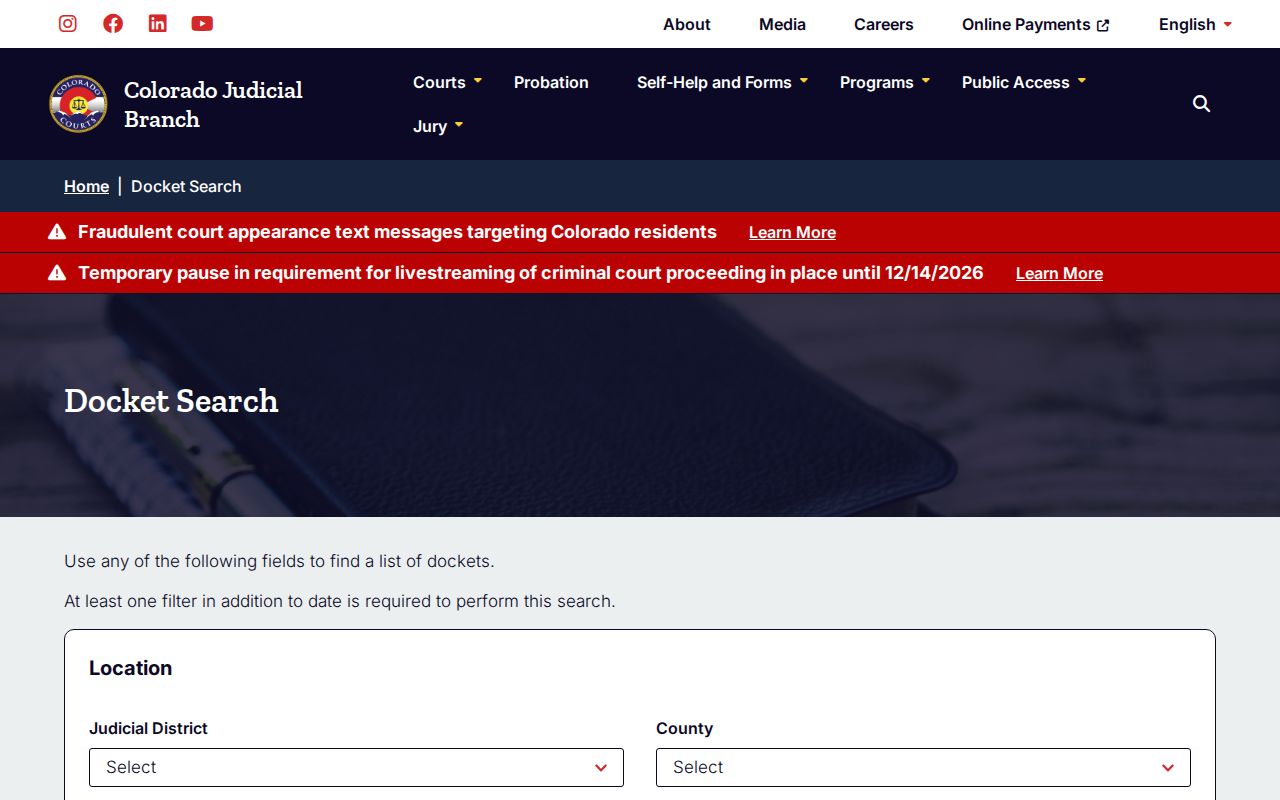
Colorado docket search tools usually offer a Clear Results button that resets the page so you can start a fresh court docket lookup. One caution: a blank date range is not a full query, so an empty result never proves that no case or hearing exists.
| Field | Type and visible choices | How to use it |
|---|---|---|
| Judicial District | Optional dropdown, 1st through 23rd | Use the district on the case papers, then check the county too. |
| County | Optional dropdown; 64 counties plus Denver District, Juvenile, and Probate entries | Denver County Court is not listed. |
| Courthouse | Optional dropdown of main and satellite locations | Choose the site named in the notice when known. |
| Court Type | Optional dropdown: Both, County, or District | Narrow by trial-court level. |
| Division | Optional text field | Enter the division label or number if known. |
| Date Range | Date is needed; choices are 6 months, 3 months, 1 month, 1 week (default), Today, or Specific Date | Use Specific Date to open the date control. |
| Specify A Date | Conditional date control | Appears after Specific Date is selected. |
| Case Number year | Optional text, four numerals | Use the four-digit year from the case number. |
| Case Class | Optional dropdown: C, CR, CV, CW, DR, JD, JV, M, PR, R, S, T | Match the code on the notice or case record. |
| Case Sequence | Optional text, one to six numerals | Enter the sequence digits shown by the case number. |
| Party Search Type | Optional radio: Individual or Business | Select the party format before entering a name. |
| Party name | Conditional first/last name or business name fields | Individual search uses first and last; business search uses its name. |
| Attorney Search Type | Optional radio: Attorney Name or Attorney Bar Number | Choose the attorney search format. |
| Attorney bar number | Conditional text, one to six numerals | Appears for bar-number search. |
| Attorney name | Conditional first and last name fields | Appears for attorney-name search. |
Colorado Court Date Lookup Steps
Use more than one channel when the date matters. The statewide Colorado calendar is the quickest public check for many District and County Court settings. Courthouse pages, posted daily lists, and clerk staff can explain a local detail. They can also catch a recent change. The county named in the case papers is the starting point for that local route.
- Search the statewide Docket Search by date plus a case number, party, attorney, county, courthouse, court type, or division.
- Read the court and courthouse on the result and compare them with the notice or order. A district can serve more than one county.
- Open the local court page through Browse Counties to check its online calendar or posted daily courthouse docket, where available.
- If the setting is missing, recent, or unclear, call the Colorado Clerk of Court or court division. A counter visit can help with local instructions or public-terminal access.
- For Denver County Court, use its separate PublicPortal; for a city ordinance ticket, follow the municipal court named on the citation.
A county's daily list may be local to one courthouse or courtroom, and Colorado publishes no uniform calendar refresh time or deadline. If a date has changed, trust the newest filed notice or order and confirm with the court.
Note: The Colorado Judicial Branch calendar covers state District and County Court settings, while municipal and Denver County Court dates use separate routes.
Colorado Court Dates Use Separate Local Portals
Denver County Court is not Denver District Court. It never appears as a location in the Colorado Judicial Branch calendar. Its PublicPortal runs its own case-number or Arrest Booking number search. It also offers future-date searches for individuals and civil cases. Those future-date searches return active dates only. They are not a statewide history search or a general document viewer.
The Denver County Court PublicPortal lays out the separate search choices for that court and its public lookup interface.
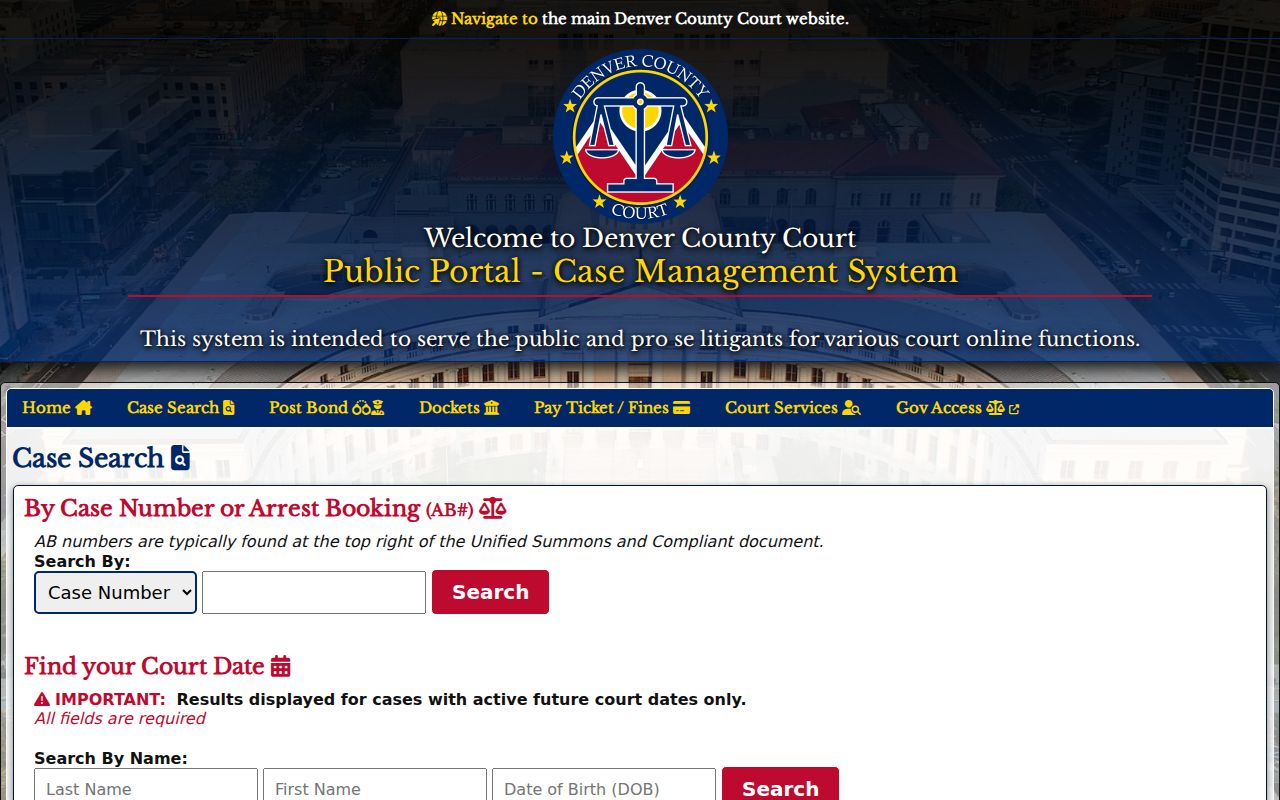
Check the court printed on the paperwork to decide whether the state or the Denver route applies. Denver District, Juvenile, and Probate locations stay within the state-court entries. Denver County Court has its own clerk and its own calendar path.
| Denver PublicPortal search | Required information | What it returns |
|---|---|---|
| Case lookup | Choose Case Number or Arrest Booking (AB#), then enter that identifier | Separate DCC case search, not a state-court calendar |
| Individual future date | Last name, first name, and date of birth | Cases with an active future court date |
| Civil future date | Last name; first name or business name as offered by the form | Active future dates for the separate civil search |
What a Colorado Setting Shows
A Colorado calendar row describes a scheduled event, not the result of a case. Read the case number, date, time, event label, and courthouse together. The courthouse and courtroom help you find the appearance. An estimated duration or appearance mode may sit blank. A blank field does not mean the setting was canceled.
| Case number | The case identifier ties the setting to a Colorado trial-court file. Check year, class, and sequence against the notice. |
|---|---|
| Scheduled date and time | The listed date and start time show when the event is set to begin. |
| Hearing type | Labels include arraignment, preliminary hearing, status conference, jury trial, sentencing, return date, hearing, or setting. |
| Courthouse and courtroom | The location may include a satellite courthouse; use the notice and local court page if room details differ. |
| Appearance mode | Rows may show virtual, in person, or no appearance required; a generic row does not provide the meeting link. |
| Duration or judge | Duration may be blank, and the inspected result fields did not list a judge. Ask the division if the detail is needed. |
Colorado's event labels have no central public codebook. No single term is defined for every court. "Return Date on Summons" is a procedural appearance point. It is not a trial. "Setting" may mark a scheduled step without deciding the claim. Follow the case papers or ask the court about any unfamiliar label.
A Colorado Reset Leaves the Date Open
A Colorado docket can still carry a hearing date even after the hearing was reset. The old line stays in the register as history. It tells you nothing about the next court date. For upcoming District and County Court settings, the statewide calendar is the better tool. When an event was just moved or has not appeared yet, call the local Clerk. You can also call the court division handling the case.
Suppose two public pages disagree. Match the case number, the court, and the date. Then hunt for the newest filed notice or order. That filing controls the schedule unless a later order replaces it. If the courtroom, the appearance mode, or the next date is still unclear, contact the courthouse. Use the courthouse named on the papers.
Colorado publishes no uniform calendar refresh time and promises no fixed window of future dates. A reset can shift an event. A blank or stale entry, on its own, proves nothing about cancellation. The court that issued the notice is the place to confirm.
Note: A Colorado historical Register of Action can retain an earlier setting, so use the live calendar and current court notice together.
When a Colorado Setting Changes
A continuance pushes a hearing or trial to a later date. A reset is simply the docket notation that a setting moved. It is not the new date itself. Along the same lines, a missing Colorado result does not mean the case was canceled. Pull the newest Docket Search result and the latest filed notice or order before drawing any conclusion.
Still no new date listed? Call the Clerk, the division staff, or the court coordinator. Use the court that issued the notice. Every county court page lists local contacts through Browse Counties. And never let an older ROA event decide where or when you appear.
Where the answer lives also depends on the court. Statewide results cover state trial-court settings only. A city ordinance ticket, or any Denver County Court case, runs through its own calendar route. Colorado court staff can point you to the right local channel. Ask whenever the case papers and the public result do not line up.
Colorado Court Calendar and Virtual Access
Some rows on a Colorado court calendar flag how a setting works. It may be virtual, in person, or require no appearance at all. A virtual label alone does not hand you the connection link. The Judicial Branch's Virtual Courtroom Directory gathers local courthouse links, schedules, and access instructions. Each court sets its own procedures.
A separate Branch notice covers livestream and virtual courtroom access. It carries the temporary rule shown in this image. It also notes the statewide livestreaming change now in effect for Colorado trial courts.
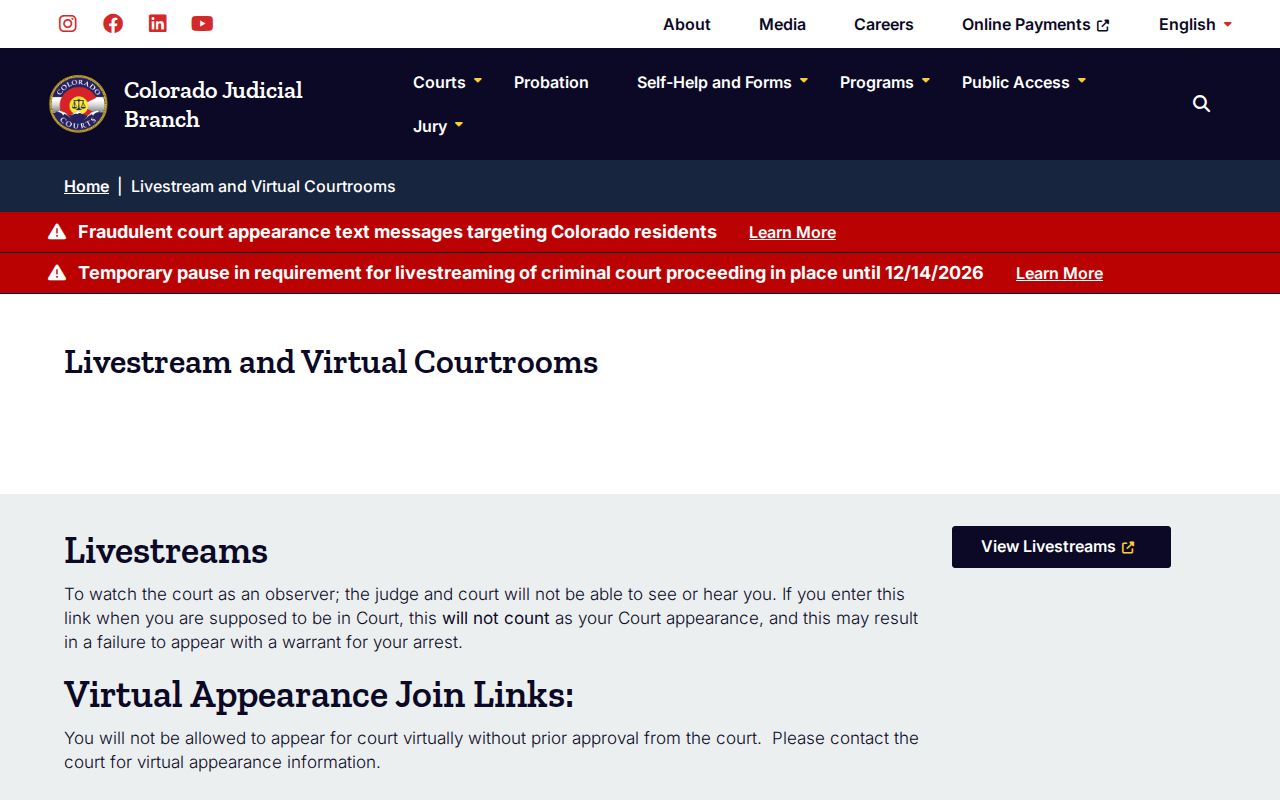
Under Chief Justice Directive 26-01, the presumptive livestreaming requirement for trial-court criminal proceedings is paused from September 15 through December 14, 2026. Proceedings stay open, and the public calendar stays up. In-person and remote attendance still follow each local court's orders and instructions.
Note: Colorado's temporary livestreaming pause changes the default for recording, not the statewide calendar or each court's attendance rules.
If You Miss a Colorado Setting
A Colorado hearing date has come and gone? Do not assume the case was dismissed or that a new date was set. Contact the Clerk or court division right away. Ask for the current case status and request the latest order or notice. Two gaps trip people up here. The calendar may list only future state-court events. A past Register of Action line can lag behind a recent change.
Missing a required criminal appearance is serious. Depending on the case and the court, it can trigger a failure-to-appear issue. It can also trigger a bench warrant. Civil matters carry their own procedural consequences. In every situation, the signed order and the court's instructions tell you what actually happened and what to do next.
If You Missed a Setting:
Call the Clerk or court division listed for the filing court and ask for the current status and any new date.
A required criminal appearance may lead to a failure-to-appear issue or warrant; confirm directly with the court.
Get the latest notice or order and follow the court's next-step instructions. Use Browse Counties to find the state county court route.